Design#Video generation#Motion graphics
srt-whiteboard-animation: subtitle in, hand-drawn animation out
geeklee's MIT agent skill turns SRT subtitles into whiteboard animation: 25–35 s scenes, strokes synced to the narration, built for explainer videos.
Skill details
npx skills add geeklee/srt-whiteboard-animation --skill srt-whiteboard-animation
Whiteboard videos — a hand sketching while the narration plays — are painful to make by hand: you draw the artwork, sync it to the audio, then animate each reveal. Generic video models don’t keep the picture on-script either. srt-whiteboard-animation, an AI skill in geeklee’s repo (MIT, created July 27, 2026, about 3.8k stars as of September 30, 2026), installs into Claude Code or Codex: hand it an SRT file and it splits the script into scenes, produces line art, then draws the scene in narrative order — whatever the narration names appears next, so audio and picture stay in sync by construction.
The order it works in

Compared with one-shot video generators like html-explainer, this skill runs on confirmation gates. It parses your SRT into 25–35-second scenes with a storyboard strategy (parse_srt.py); only after you approve does it generate line art. Next it reads the subtitles, inspects the image, maps visible subjects to narrative events in the order setup → subject → action → reaction, writes an annotation.json, and opens a browser preview automatically. You drag regions, order, timing and subtitle links; after you confirm, it renders each scene to MP4 and merges them with merge_scenes.py. The SKILL.md explicitly states that silence or blanket approval never counts as confirmation, so a bad storyboard stops at that step instead of poisoning the whole render.
What it hard-constrains
- Sync by construction: elements appear in subtitle-event order, not screen position — the narration names it, the hand draws it.
- Nothing leaks early: every region gets an allowed mask; untouched regions can’t show a single line, and overlapping subjects are shielded with
protectedRegions. - Continuous strokes: no frame-skip reveals — the pen glides along a skeleton or grid, inking first and coloring second (ink/color split 2:1), and finished strokes stay on the canvas.
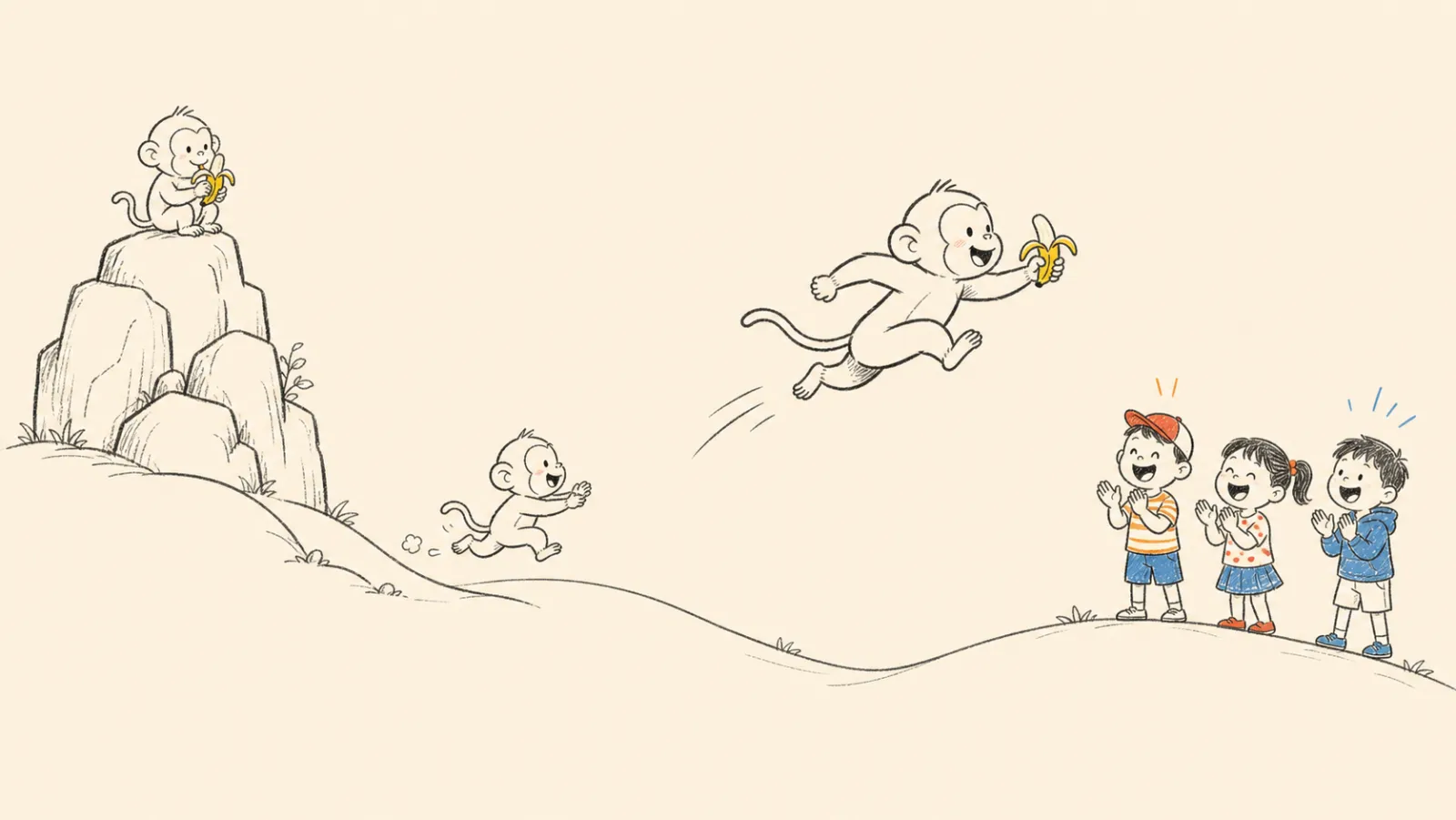
- One visual language: 16:9 warm-paper background
#F5EBD7, dark-gray sketch lines, sparing red/orange/blue accents, and no text or labels inside the scene.
The render input is line art like this — generated by your image-capable model under the skill’s style rules:
Who it’s for
Anyone producing explainers, story narration or course content who already has an SRT file — drop it in and a few scripts later you have a video. Unlike caption-to-video mixers such as story-flicks, the output is an original drawing animated end to end, not stock clips stitched together. Three caveats: your agent must generate images (a WeChat reviewer walked the full flow in Codex); rendering runs locally, with prepare_env.py creating a venv with opencv-python, numpy and PyAV on first run; and it targets short-form — 25–35 seconds per scene, long videos mean stacking scenes. The repo has seen no commits since its creation day, though as a single document plus a handful of scripts there is little to break; the preview’s save button needs Chrome or Edge.